OpenZT2 reads the original game content and renders it through a new Rust, Bevy and wgpu implementation. We’re trying to reproduce the original appearance with a different renderer.
We compare the same scene in Zoo Tycoon 2 and OpenZT2. The third panel is an amplified pixel-difference heatmap. Brighter magenta marks a larger difference. The count covers the whole frame, so text, camera placement and interface layout can contribute alongside the material itself.
O · Original is on the left, N · OpenZT2 is in the centre, and the amplified difference map is on the right.
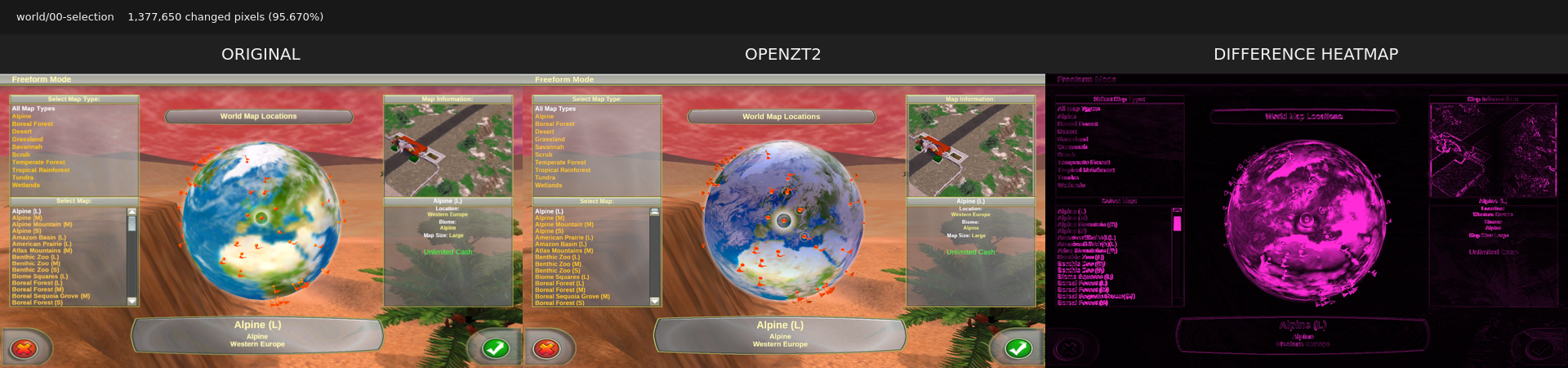
Globe textures and layered materials
The Earth surface, clouds and orange flags now render together. The earlier build showed a white sphere. Cloud shading and the selected-location marker still differ.
Before the globe material corrections
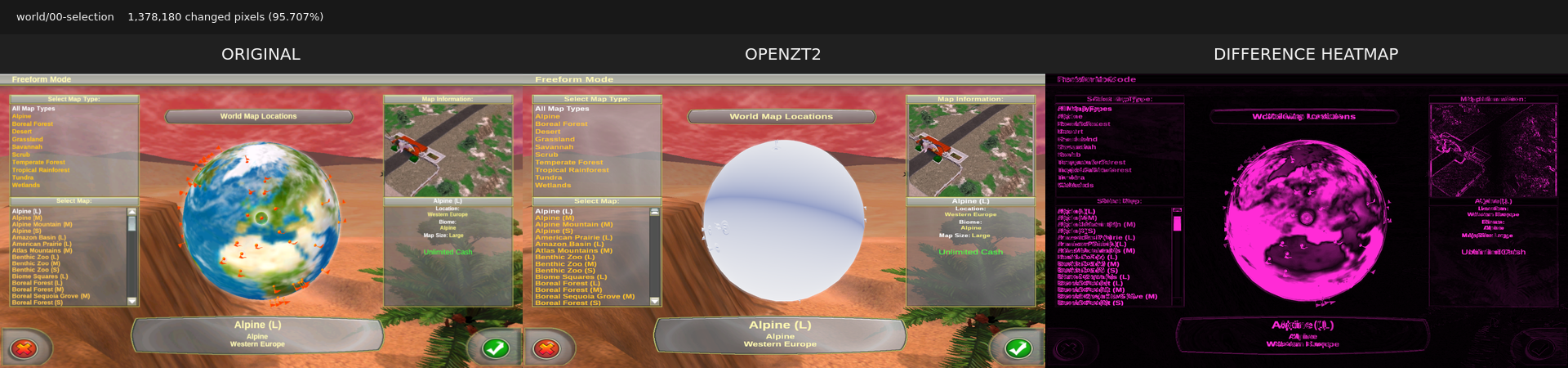
Restoring the globe took corrections to texture projection and layered materials, along with lighting and draw order. With the textures back, we could examine the cloud shading and location marker more closely.
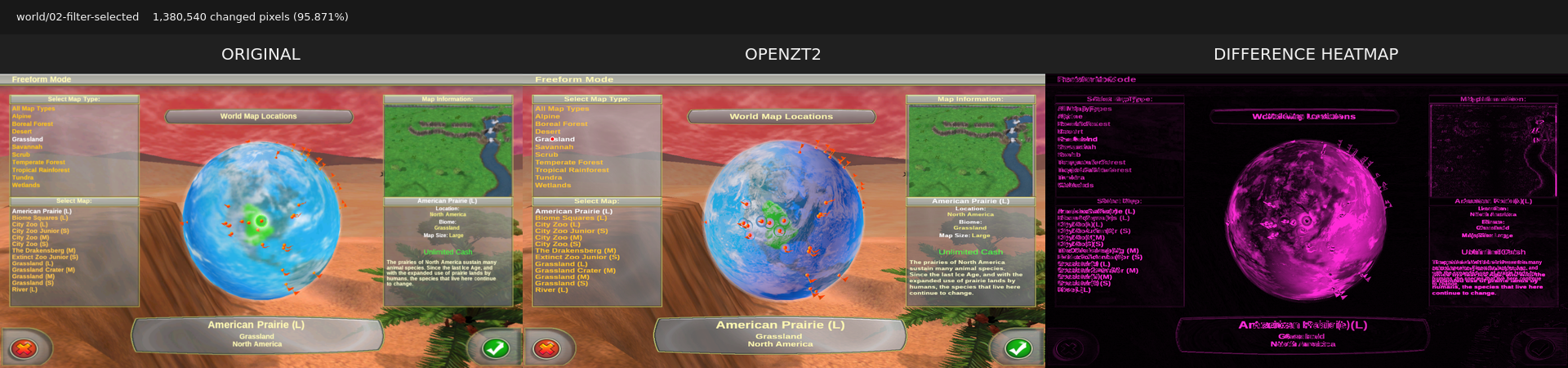
Biome shading and lighting
The filtered globe retains its blue ocean and green grassland highlight after its material changes. Cloud appearance, marker placement and text wrapping remain visible differences.
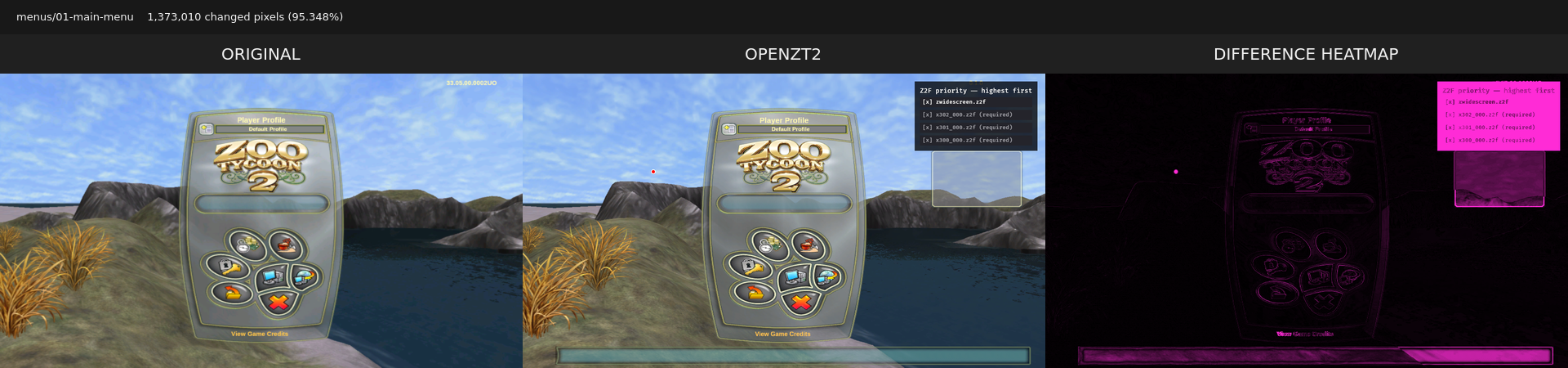
Main-menu layout and controls
The authored logo, panel, buttons and profile controls retain the original menu’s familiar layout. Both captures use the same background. The heatmap highlights remaining text and panel differences, along with OpenZT2’s additional archive controls.
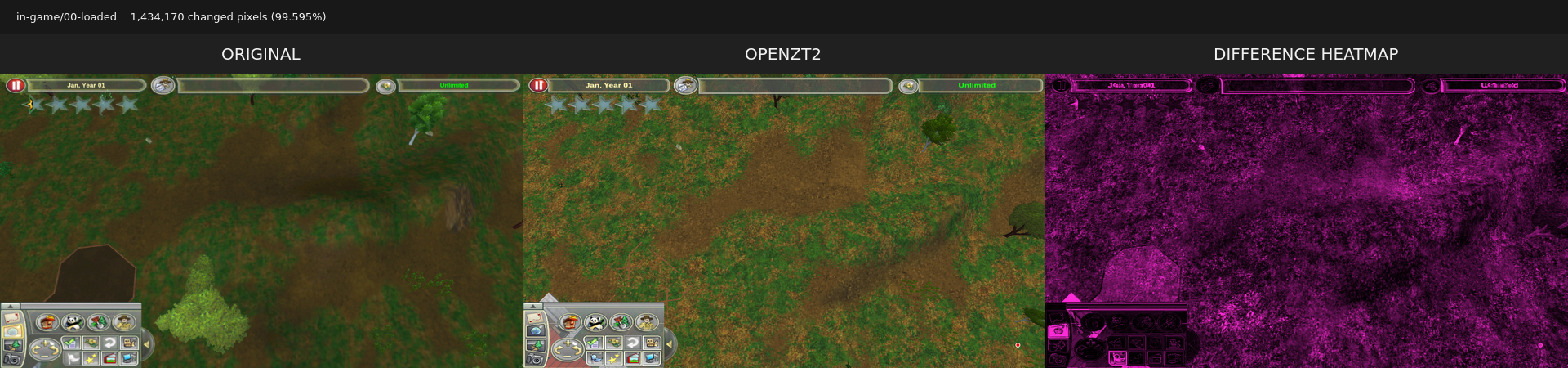
Terrain textures and material balance
Grass, dirt and slopes render through the restored material pipeline. Texture detail, colour balance and lighting still differ. Camera framing and foliage placement also vary, so this heatmap includes more than material differences.
Reading the differences
We use the shape of the differences to narrow down the cause. A large patch of colour can point to a wrong blend mode or texture stage, while thin outlines can suggest a projection or camera mismatch. Differences around the letters give us somewhere to start checking text rendering.
The changed-pixel count includes all of these differences, so we check the captures before deciding which part of the renderer to work on next.